Fall Autumn Patterns
There’s a quiet confidence in well-chosen Fall Autumn Patterns—those warm, grounded designs that feel like crisp air, roasted spices, and golden afternoon light. These aren’t just seasonal decorations; they’re functional design tools for creators who value both aesthetic cohesion and technical reliability. Whether you're designing Thanksgiving cards for a small business, building a printable planner set for your Etsy shop, or crafting fabric mockups for a textile client, the right digital papers make your work look intentional—not improvised.
Why color accuracy matters more than you think
Many creators assume “orange” or “brick” on screen will translate seamlessly to print—or even to digital presentations across devices. But without checking color profiles, what looks rich and earthy on your calibrated monitor can shift to muddy brown or washed-out peach on a customer’s tablet or home printer. That olive green? It might render as gray-green if embedded with sRGB instead of Adobe RGB—or worse, if no profile is embedded at all. This isn’t just about prettiness: inconsistent color undermines brand trust, confuses product previews, and leads to reprints, delays, and frustrated clients.
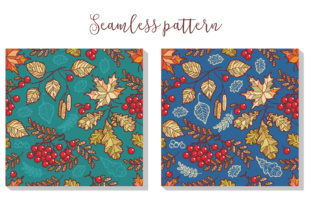
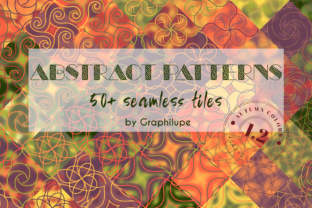
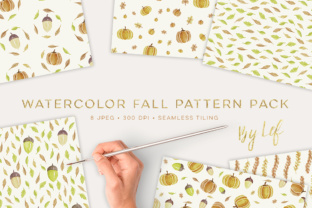
The Fall Autumn Patterns collection includes true-to-life orange, dark green, olive green, yellow, and brick—all tested across standard RGB and CMYK workflows. Each paper is delivered as a high-fidelity JPG at 300 DPI, 12” x 12” (3600 px × 3600 px), with embedded sRGB for consistent digital use and reliable print prep. If you’re preparing files for professional printing, convert to CMYK *after* downloading—and always soft-proof using your printer’s ICC profile before final output.
Pattern scale and repetition: where layouts go off-track
Plaid, gingham, and chevron rely on precise repeat alignment. A subtle misstep—a 2-pixel offset in the tile seam, or uneven spacing in a leaf motif—becomes glaring when scaled across a notebook cover or fabric swatch. Beginners often download patterns assuming “it’ll look fine,” only to discover visible seams or distorted proportions once placed in Canva, Photoshop, or Illustrator.
These Fall Autumn Patterns are built with seamless tiling in mind. Each design repeats cleanly edge-to-edge, with no visible breaks or stretching artifacts—even at full 12” size. Before applying one to a large-format project (like a banner or wall calendar), test the repeat by duplicating the image twice horizontally and vertically in your editor. Zoom out. If lines waver, corners don’t match, or leaves appear cropped mid-stem, it’s not the pattern—it’s likely a scaling or canvas-setting error on your end.
Don’t overlook file format limitations
JPGs are excellent for fast loading, email-friendly previews, and most print services—but they don’t support transparency. If you’re layering a gingham pattern behind text with drop shadows, or cutting a leaf motif out of a background, you’ll need PNGs or layered PSDs. That’s fine, but it means planning ahead: either choose projects that suit JPG constraints (planner dividers, notebook covers, card bases), or budget time to manually mask elements in your editing software.
This collection delivers clean, high-resolution JPGs—not compressed web versions or upscaled thumbnails. You’ll notice the difference in sharpness when zooming into nut textures or fine stripe details. No pixelation. No banding. Just usable, production-ready files from day one.
Matching patterns to purpose—not just season
It’s easy to default to “leaves + plaid = fall.” But real-world use demands nuance. A busy chevron may overwhelm delicate handwritten invitations. A dense nut motif could distract from key RSVP information. And while olive green reads sophisticated on stationery, it can recede too much on low-contrast digital dashboards—especially for users with visual impairments.
Here’s what works better:
- Thanksgiving cards & invitations: Use gingham or subtle stripes as borders or backgrounds—clean enough to let typography shine.
- Planner dividers & dashboards: Opt for low-contrast patterns like soft polka dots or wide-spaced leaves—easy on the eyes during daily review.
- Fabric design mockups: Leverage plaid and chevron—they translate naturally to woven textures and hold up well at garment scale.
- Notebook covers & stationery sets: Brick and dark green offer strong visual anchors; pair them with minimal leaf accents for balance.
What to verify before downloading or purchasing
Before adding Fall Autumn Patterns to your cart—or diving into a project—check three things:
- Resolution & dimensions: Confirm it’s truly 3600 px × 3600 px at 300 DPI—not “optimized for web” or “scaled preview.” Small discrepancies compound in print.
- Pattern variety vs. visual fatigue: Ten papers sounds generous, but scan them for tonal range. Do they span light-to-dark? Warm-to-cool? If all five colors skew similarly saturated, you’ll hit creative limits faster than expected.
- Licensing clarity: Are personal and commercial uses covered? Can you use them in client work? Resell as part of a physical product (e.g., printed planners)? The Fall Autumn Patterns license permits both—no hidden tiers or attribution requirements.
One last note: Don’t wait until November to explore these. Seasonal demand spikes mean slower downloads, busier support channels, and tighter deadlines. Download early. Test one pattern in your usual workflow—drop it into a mockup, adjust contrast, print a sample. See how it behaves *before* your launch date arrives.
Fall Autumn Patterns isn’t about chasing trends. It’s about having dependable, versatile tools that save time, reduce revision rounds, and help your ideas land with clarity—whether you’re a teacher prepping classroom decor, a freelancer designing a boutique brand kit, or a hobbyist stitching together their first fabric journal. Choose thoughtfully. Test intentionally. Create confidently.