Black and White Patterns: Precision, Clarity, and Intentional Design
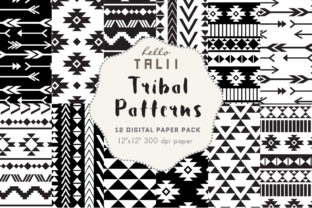
Black and white patterns are not merely aesthetic choices—they’re strategic tools. When delivered at professional-grade resolution—3600×3600 pixels, 12×12 inches, 300 DPI—they become versatile assets for real-world applications: print-ready branding elements, high-fidelity web backgrounds, presentation templates, editorial layouts, packaging mockups, and immersive digital environments. Their power lies in their neutrality, contrast, and cognitive efficiency. Unlike color-laden designs that carry cultural, emotional, or contextual baggage, black and white patterns operate with minimal interpretive noise—making them exceptionally reliable when clarity, hierarchy, or structural integrity matters most.
Why Strategic Use Matters More Than Quantity
Having ten high-resolution black and white patterns is valuable only if each serves a deliberate function. A pattern used to reinforce brand authority on a business report should differ structurally from one guiding user attention in an educational dashboard—or one establishing rhythm in a product catalog. Random selection leads to visual fatigue, inconsistent tone, and diluted messaging. Instead, treat each of the ten JPEGs as a calibrated instrument: assess contrast ratio, repeat scale, line weight, negative space distribution, and optical density before assigning it to a task. For example, a tightly spaced geometric grid may sharpen focus in data visualization but overwhelm a meditation app interface; a soft tonal halftone might support calm learning materials but weaken impact in a startup pitch deck.
When Black and White Patterns Deliver Measurable Value
Three contexts consistently reward intentional use of black and white patterns:
- Branding refinement: When launching or repositioning, black and white patterns help isolate structural identity—removing color distractions reveals whether your logo, typography, and layout hold up under scrutiny. They’re ideal for testing scalability, legibility at small sizes, and reproducibility across print and screen.
- Content scaffolding: Writers, educators, and course designers use subtle black and white patterns as low-contrast backdrops behind text blocks or infographics. At 300 DPI and 3600×3600, they tile seamlessly without pixelation—even when zoomed or cropped—supporting clean PDF exports, printed workbooks, or accessible slide decks.
- Operational consistency: Marketing teams building asset libraries, agencies maintaining client style guides, or publishers standardizing template systems benefit from having ten rigorously tested, resolution-matched patterns. Consistency isn’t about repetition—it’s about predictability in output quality, file behavior, and cross-platform rendering.
How to Select—and Assign—Each Pattern Thoughtfully
Begin with outcome, not appearance. Ask: What decision does this background support? What action should the viewer take next? Then match pattern characteristics to intent:
- For emphasis and direction: Choose patterns with directional lines (e.g., angled stripes or converging diagonals) to guide the eye toward CTAs, headlines, or key data points.
- For stability and trust: Opt for symmetrical, balanced motifs—like tessellated squares or radial gradients—that signal order and reliability, especially in financial, legal, or institutional communications.
- For creative breathing room: Select low-contrast tonal variations (e.g., 10–15% gray overlays or fine stipple textures) where content must remain dominant but flat white feels sterile.
- For tactile authenticity: Use grainy, organic, or hand-drawn-inspired black and white patterns in artisanal branding, craft publishing, or portfolio sites—where perceived craftsmanship reinforces credibility.
Avoid defaulting to “the boldest” or “most interesting” option. A high-contrast chevron may look striking in isolation but compete destructively with body text or layered UI components. Test each of the ten JPEGs in context—not just as thumbnails, but embedded in actual deliverables: a Keynote slide with live type, a Canva social post with overlaid icons, a printed brochure mockup. Observe how light interacts with ink, how screens render fine detail, and whether alignment remains crisp after resizing.
Risks of Unintentional Application
Using black and white patterns without clear goals introduces quiet but consequential risks. First, visual monotony: repeating the same motif across touchpoints erodes distinction between messages and blurs audience segmentation. Second, accessibility oversights—some high-contrast patterns trigger photophobia or motion sensitivity in viewers; others fail WCAG contrast thresholds when paired with certain text colors. Third, operational friction: JPEGs at 3600×3600 and 300 DPI demand careful file management. Without naming conventions, metadata, or usage guidelines, teams waste time searching, resampling, or accidentally deploying low-res versions in print jobs.
Worse, treating black and white patterns as decorative filler undermines their strategic utility. A background chosen solely because it “looks professional” rarely strengthens positioning—it often masks weak content structure or unclear value propositions. The pattern doesn’t compensate for ambiguity; it amplifies it.
Long-Term Positioning Through Pattern Discipline
Over time, disciplined use of black and white patterns contributes to what designers call *visual equity*: the cumulative recognition and trust built through consistent, intelligent application. Consider how Apple, IBM, or The New York Times deploy monochrome texture—not as ornament, but as infrastructure. Their patterns don’t shout; they anchor. They make complexity feel navigable. That effect compounds: a freelancer who uses the same calibrated halftone across proposal decks, case studies, and email headers builds subconscious coherence. A small business applying one structured grid pattern to packaging, signage, and online store banners signals operational maturity—even before the first product is seen.
This isn’t about rigidity. It’s about intentionality scaling. Ten high-resolution black and white patterns give you room to differentiate by purpose—not by randomness. One for data-heavy reports, one for storytelling visuals, one for minimalist landing pages, one for tactile print collateral. Each becomes a node in a larger system—not a standalone asset.
Practical Integration Tips for Real Workflows
Start small—but start precise:
- Tag files meaningfully: Name each JPEG with its functional role—e.g., bw-pattern_grid-tight_3600x3600_300dpi.jpg rather than pattern07.jpg. Include notes on optimal use cases in metadata or a shared asset README.
- Pre-test in real environments: Import each pattern into your primary design tool (Figma, Adobe InDesign, Canva), overlay sample text at typical sizes, and export to both PDF and PNG. Check for moiré effects, banding, or unintended halos.
- Document pairing rules: Specify which patterns work with which typefaces, icon sets, or photo treatments. A bold sans-serif may clash with a delicate herringbone—but harmonize beautifully with a rigid dot matrix.
- Reserve one pattern exclusively for experimentation: Use it to test new layouts, audience reactions, or emerging formats (e.g., dark mode variants or AR overlays). Keep the other nine reserved for production-critical applications.
Remember: resolution alone doesn’t guarantee impact. A 3600×3600 JPEG is only as effective as the thinking behind its placement. The ten black and white patterns you have aren’t just files—they’re levers. Pull the right one, at the right time, for the right reason, and you shape perception, guide decisions, and reinforce competence—without a single word of explanation.
Final Strategic Note
Black and white patterns endure because they ask nothing of the viewer except attention—and reward that attention with structure. In a landscape saturated with reactive design, algorithm-driven aesthetics, and trend-chasing visuals, choosing black and white is itself a statement: that clarity precedes creativity, that precision enables expression, and that long-term results begin with disciplined, goal-aligned decisions—not just high-resolution files.